Tutorial: Create Workspace
This tutorial will show you how to create a Workspace.
Requirements
- If you are not registered to the Spotflow IoT Platform yet, Sign Up.
- Portal
- API
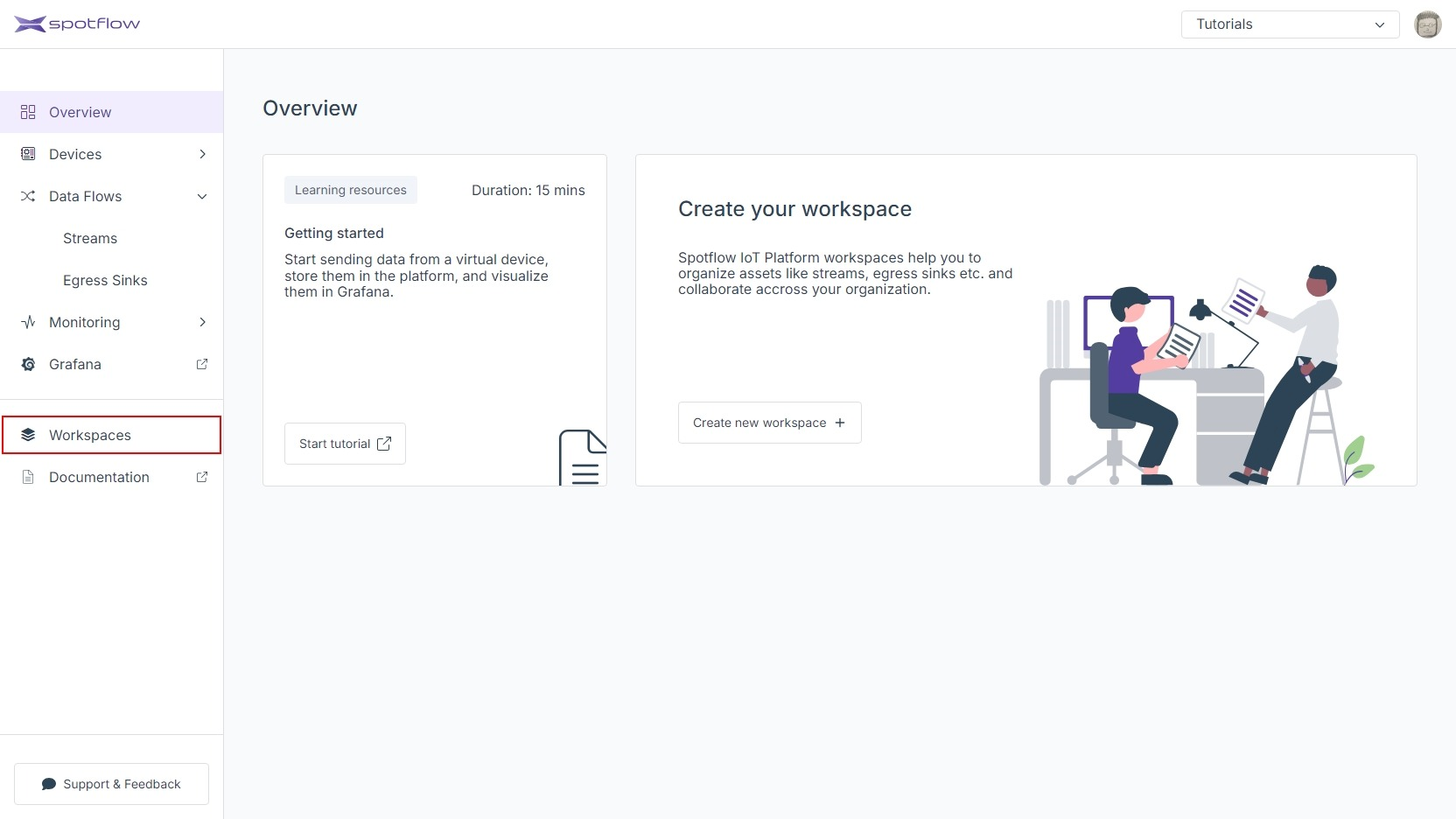
1
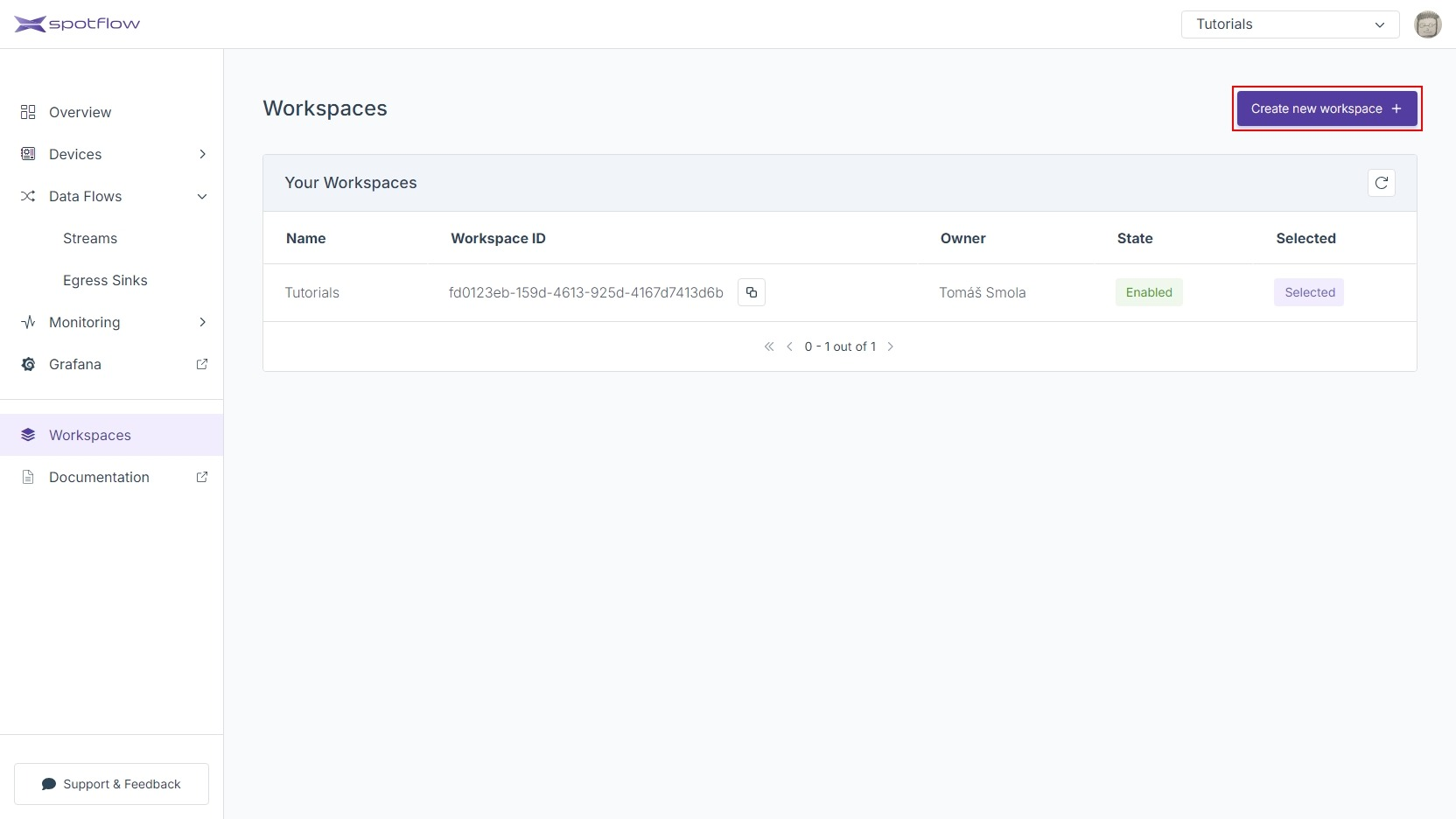
2
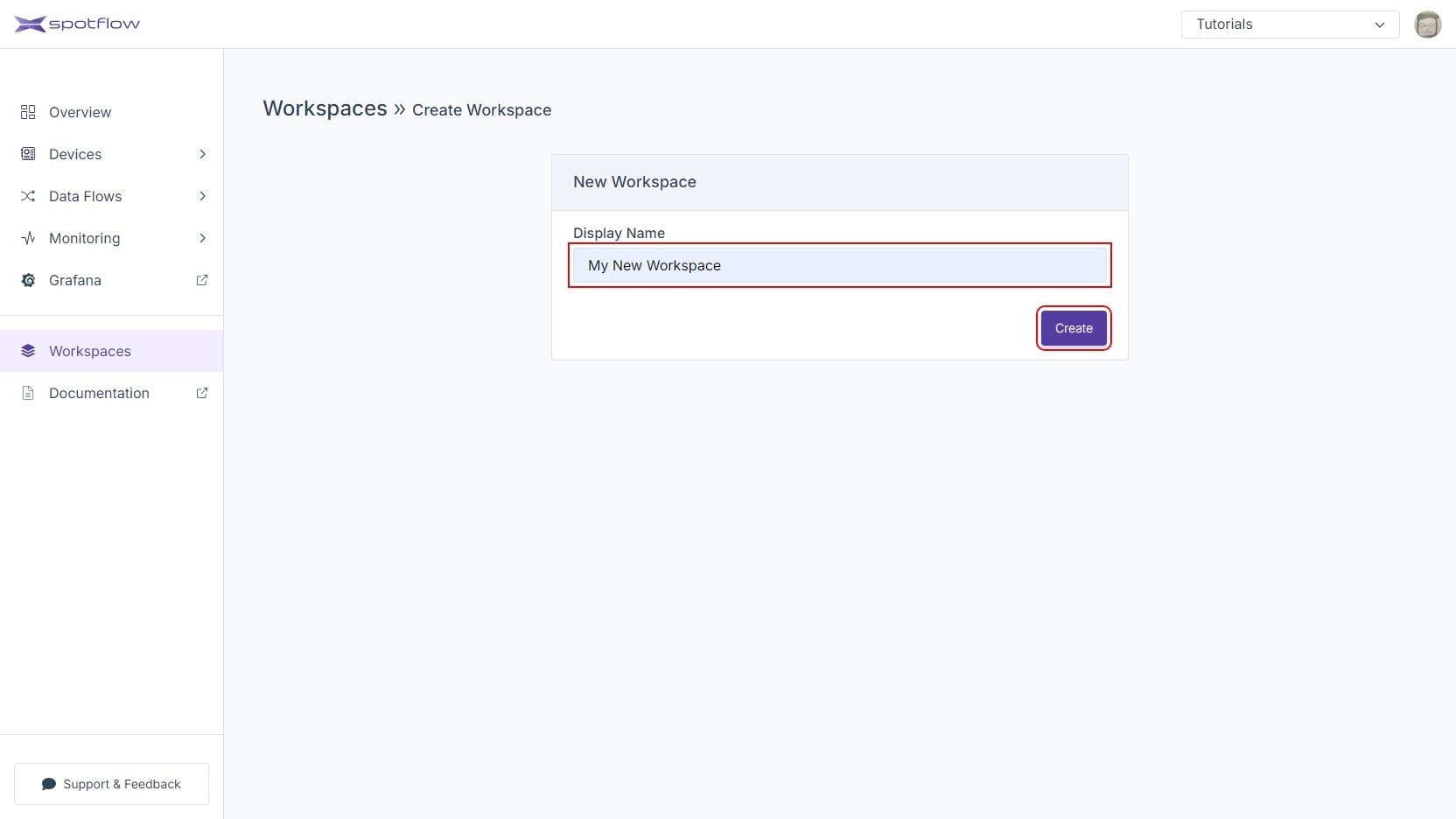
3
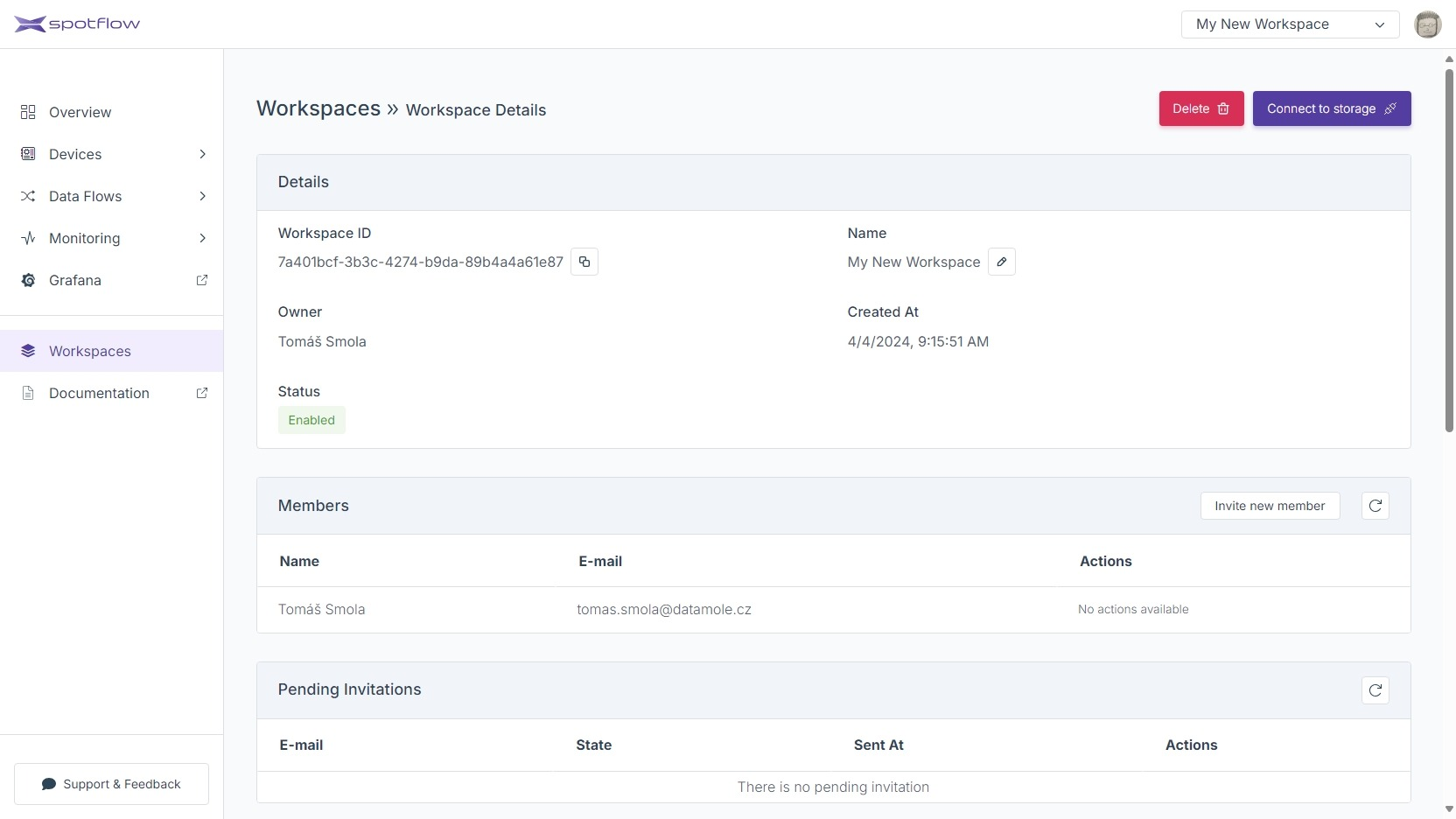
4
Open the link Workspaces in the left sidebar.
Click Create new workspace.
Enter an arbitrary name (e.g.
My New Workspace) and click Create.See the details of the newly created Workspace.
The following instructions expect that you have already obtained the API access token from the Portal.
Replace the placeholder <Your API Access Token> with API access token and run the following command to create a new Workspace:
- cURL
- PowerShell
curl -X POST 'https://api.eu1.spotflow.io/workspaces' \
 -H 'Content-Type: application/json' \
 -H 'Accept: application/json' \
 -H 'Authorization: Bearer <Your API Access Token>' \
 -d '{"displayName": "My New Workspace"}'
(Invoke-WebRequest -Method Post -Uri 'https://api.eu1.spotflow.io/workspaces' `
 -Headers @{
   'Content-Type' = 'application/json'
   'Accept' = 'application/json'
   'Authorization' = 'Bearer <Your API Access Token>'
 } `
 -Body '{"displayName": "My New Workspace"}').Content
The API will confirm the creation and display the Workspace details:
{
    "workspaceId": "109d5eed-bbfc-4a55-a97a-94720c103df3",
    "displayName": "My New Workspace",
    "createdAt": "2024-04-04T07:38:46.4394148+00:00",
    "createdBy": "75e072fe-a24b-4bd0-83b3-aeda46240804",
    "state": "Enabled",
    "workspaceDefaultStorage": {
        "subscriptionId": "05e780cc-a568-4b55-8577-45f9e397db71",
        "resourceGroupName": "spotf-workspaces-data-eu1-rg",
        "storageAccountName": "3h8rq2xsg2lmpybmn1rbvtoi"
    }
}